

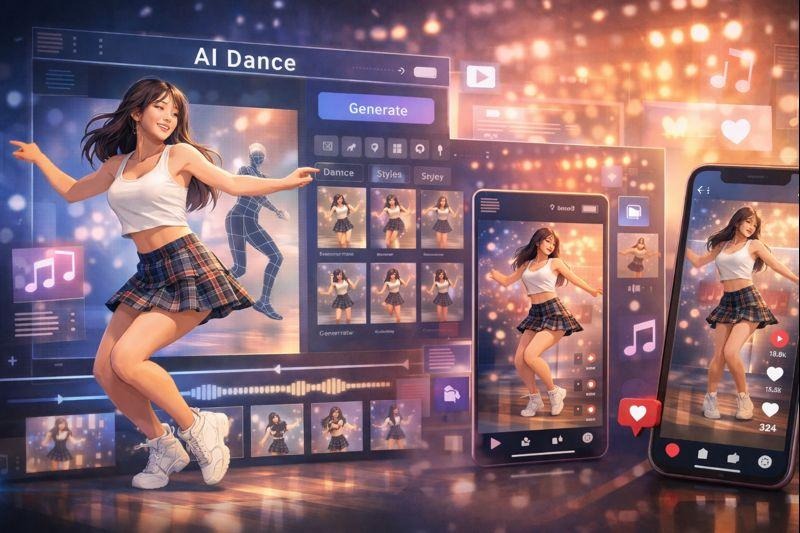
Short-form video trends don’t usually arrive politely. They show up, take over your feed, and suddenly everyone is speaking the same visual language—whether that’s a specific camera move, a meme-worthy beat drop, or a character dance that feels oddly “too clean” to be filmed in a bedroom.
Right now, AI dance sits in that sweet spot: it’s playful, fast to produce, and flexible enough for creators, small brands, and even casual users who just want to make something fun without learning editing software. But it’s also easy to do it badly—warped limbs, jittery motion, awkward framing, and that unmistakable “AI weirdness” that kills replay value.
This guide is a practical look at how AI dancing online is evolving, why audiences love it, and what actually helps your clips look shareable instead of experimental.
Why AI Dance Works So Well on Social Platforms
The best social video formats do three things: they grab attention fast, they’re easy to remix, and they reward repeat viewing. AI dance hits all three.
- Instant recognition: A dance loop communicates mood in one second—confident, cute, chaotic, romantic, whatever you’re aiming for.
- Low friction remixing: Swap the subject, swap the outfit vibe, change the background, keep the beat. The template stays familiar, the content feels new.
- Loop-friendly motion: Dance is naturally cyclical. When the motion is smooth, people watch twice without realizing.
There’s also a practical reason creators lean into it: it compresses production time. You don’t need a location, choreography practice, or camera setup. You need a solid input image and a clear idea of the vibe.
What Makes AI Dancing Look “Good” (Not Just Generated)
The difference between “cool” and “uncanny” usually comes down to a few basics that traditional video creators already know: framing, lighting, and motion clarity.
1) Start with a clean subject
AI motion tends to break where the silhouette is messy. If your input photo is full-body, well-lit, and not cluttered with background chaos, you’ll get cleaner movement.
Best inputs:
- Full-body or at least knees-up
- Clear arms/hands visible (no hidden limbs)
- Simple background (or strong separation from the background)
- Clothing with readable edges (avoid super-busy patterns at first)
2) Match the “dance energy” to the character
A cute chibi-style character doing aggressive, high-speed moves can look off. A realistic portrait doing soft, minimal choreography can look believable. The key is alignment: style, tempo, and attitude should agree.
3) Use camera choices like a real editor would
Even if the movement is generated, you still control the viewer’s experience. Most viral dance clips follow one of these:
- Medium full-body shot (safe, clear, loopable)
- Slight push-in (adds energy without distortion)
- Side-to-side sway (feels “filmed”)
- Clean center framing (reduces motion artifacts)
A Simple Workflow for Posting AI Dance Without the “AI Vibes”
If you’re producing regularly, treat this like a repeatable pipeline instead of a one-off trick.
- Pick a concept (10 seconds): cute / cool / funny / romantic / dramatic
- Choose one strong input image: don’t overthink variety yet
- Generate 3–6 variations: small prompt changes only
- Select the best one: look for hands, face stability, and foot placement
- Add sound + captions: make it feel native to the platform
- Post + learn: keep what worked, drop what didn’t
The biggest mistake is generating once and posting immediately. Even great tools output a range—your job is to curate.
Before you upload: a quick quality checklist
Here’s a quick “spot the problem” guide that saves time:
| Issue you see | Likely cause | Quick fix |
| Hands flicker or melt | Hands hidden / low detail | Use clearer hand visibility; avoid props |
| Face jitters | Low-res face / harsh shadows | Choose a sharper image; softer lighting |
| Legs warp | Busy background / tight crop | Give more space around the body |
| Motion feels robotic | Too intense tempo for style | Reduce “energy,” try smoother vibe |
| Outfit distorts | Complex fabric/pattern | Start with simpler clothing silhouettes |
These are small adjustments, but they add up fast—especially when you’re posting repeatedly.
How tools like GoEnhance fit into modern workflows
Creators don’t just want one trick—they want a toolkit that supports multiple formats without constant exporting and re-uploading. That’s why platforms that bundle creation and variations tend to win.
GoEnhance AI provides AI dance and related creative video tools in one place, which makes it easier to test different concepts quickly and keep your output consistent across posts.
If your specific goal is to generate dance clips directly, you can start here: AI dancing online
Beyond Dance: When Trends Shift to “Story Clips”
Dance trends are powerful, but they’re not the only social format growing. A lot of creators are mixing dance with short narrative beats—tiny romantic scenes, comedy setups, or “couple moments” designed for comments and shares.
That’s where formats like “photo-to-scene” clips come in. Instead of choreography, the hook becomes the relationship vibe: a glance, a gesture, a playful moment. It’s still short-form, still loopable, but more story-driven.
One example format that keeps showing up is the “kiss scene” trend—often used for couples, fictional characters, or stylized edits built from a single image. If you’re experimenting with that style, this is the reference tool link: photo to kiss video
Who’s Using AI Dance Right Now (And Why)
You don’t need to be a full-time creator to benefit from this trend. In practice, AI dance is getting picked up by:
- Creators who post daily: fast output without filming fatigue
- Small brands: quick “character mascot” clips for Reels/TikTok
- Fan editors: anime/game characters brought into social-friendly motion
- People who hate being on camera: avatar-led content feels safer
- Community pages: remixable loops with consistent formats
The common thread: they want speed and consistency.
Safety, Usage Rights, and Basic Common Sense
If you’re posting AI-generated people or characters, keep it responsible:
- Use images you have the rights to use (or your own).
- Avoid misleading content that looks like a real person doing something they didn’t do.
- If you’re using it for a brand, keep the tone consistent and tasteful.
None of this has to be heavy—just practical.
The Bottom Line
AI dance isn’t replacing creative talent. It’s replacing the slow parts: reshoots, setup time, and the friction that stops people from experimenting.
If you treat it like a system—clean inputs, small variations, basic quality checks—you can produce clips that look intentionally made, not randomly generated. And once you can reliably ship one format, it’s easier to branch into adjacent trends, from character edits to short “scene” clips that drive comments.
That’s how AI dancing online becomes more than a gimmick—it becomes a repeatable content engine.
