

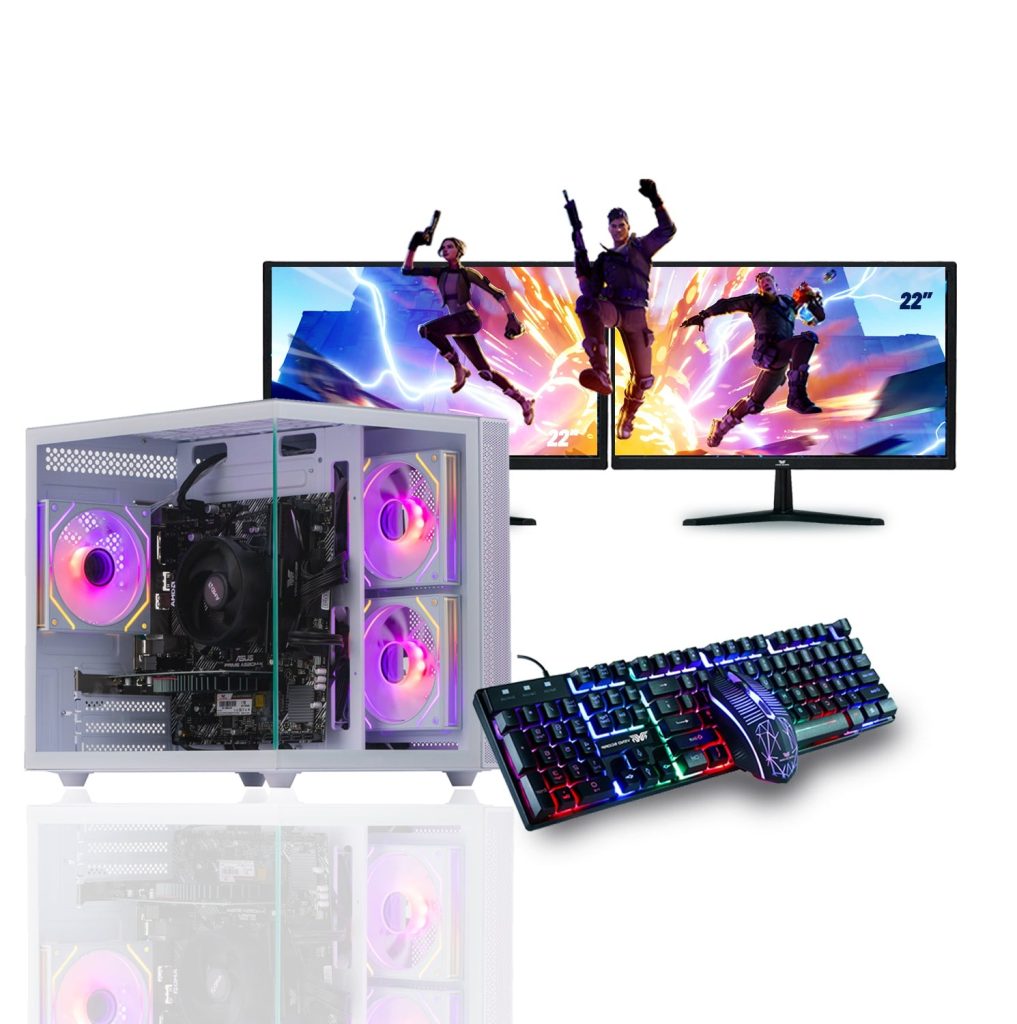
Building a custom gaming PC is one of the most exciting experiences for any gamer. But when you aim for a White Gaming PC, the challenge becomes even more interesting. You’re not just choosing powerful components, you’re also creating a visually stunning setup that reflects your style.
A white-themed gaming PC combines performance, aesthetics, and personalization. However, selecting the right parts can be tricky because not every component is available in white, and balancing performance with design requires careful planning. In this guide, we’ll explore how to choose the best components for your White Gaming PC while ensuring top-tier performance for modern gaming.
Why Build a White Gaming PC?
A White Gaming PC has become a major trend among gamers, streamers, and content creators. Unlike traditional black builds, white PCs stand out with their clean, minimalistic appearance and premium feel.
Here are some key reasons why gamers prefer white builds:
- Aesthetic Appeal: White components create a modern and elegant look.
- Customization: White builds allow better RGB lighting contrast.
- Uniqueness: A white gaming PC setup stands out from standard builds.
- Resale Value: Premium-looking PCs often attract more buyers.
But aesthetics alone aren’t enough. A powerful gaming PC must deliver smooth performance, high FPS, and reliability.
1. Choosing the Right Processor (CPU)
The CPU is the brain of your gaming PC. While color doesn’t matter much for CPUs, compatibility and performance do.
What to Look For:
- Multi-core performance for gaming and multitasking
- Compatibility with your motherboard
- Balanced performance with your GPU
Recommended Approach:
For most gamers, a mid-to-high-range CPU offers the best value. Pairing a strong CPU with a powerful GPU ensures your White Gaming PC runs smoothly without bottlenecks.
Tip: Don’t overspend on the CPU if your main goal is gaming invest more in the GPU instead.
2. Selecting a White Graphics Card (GPU)
The GPU is the most important component in any gaming PC. For a White Gaming PC, choosing a white or silver GPU enhances the overall theme.
Key Factors:
- Performance (FPS and resolution support)
- Cooling design and aesthetics
- White or light-colored shroud
Why It Matters:
A powerful GPU determines how well your gaming PC handles modern games, ray tracing, and high resolutions.
Tip: Choose a GPU that balances performance and budget while matching your white theme.
3. Motherboard: The Foundation of Your Build
The motherboard connects all components in your gaming PC. For a White Gaming PC, look for motherboards with white accents or silver heatsinks.
Features to Consider:
- Chipset compatibility with your CPU
- White or light-themed design
- Expansion slots and ports
- Wi-Fi and RGB support
Budget vs Premium:
A mid-range motherboard is often enough for gaming, while high-end boards offer advanced features and better aesthetics.
4. RAM: Performance Meets Design
RAM plays a crucial role in gaming performance and multitasking. White RAM modules with RGB lighting are popular in White Gaming PC builds.
Recommended Specs:
- 16GB minimum for gaming
- High-speed DDR4 or DDR5
- White heat spreaders or RGB lighting
Tip: Faster RAM improves responsiveness, but the difference between mid-range and high-end RAM is often minimal in gaming.
5. Storage: SSDs for Speed and Style
Storage affects boot times, loading screens, and overall system responsiveness.
Best Options:
- NVMe SSD for OS and games
- Additional SSD or HDD for storage
While storage color isn’t visible, its performance is critical for your gaming PC.
Tip: Always prioritize SSDs over HDDs for a faster gaming experience.
6. Case: The Heart of a White Gaming PC
The case defines the visual identity of your White Gaming PC.
What to Look For:
- White exterior and interior
- Tempered glass panels
- Good airflow and cable management
- RGB lighting support
A well-designed white case enhances both aesthetics and cooling.
7. Cooling System: Style and Efficiency
Cooling is essential for maintaining performance and longevity.
Options:
- White air coolers
- White liquid cooling (AIO)
- RGB fans
Why It Matters:
Efficient cooling prevents overheating and ensures stable performance during intense gaming sessions.
8. Power Supply (PSU): Reliability First
The PSU powers your entire gaming PC. While most PSUs are hidden, some brands offer white cables or housings.
Key Points:
- 80+ Gold or higher efficiency
- Modular cables for clean builds
- Reliable brand and wattage
Tip: Never compromise on PSU quality it protects your components.
9. RGB Lighting and Accessories
RGB lighting is a key element of White Gaming PC builds.
Popular Accessories:
- White RGB fans
- LED strips
- White cables and extensions
These details elevate the overall look of your gaming PC.
10. Balancing Performance and Aesthetics
The biggest challenge in building a White Gaming PC is balancing aesthetics with performance.
Smart Strategy:
- Invest more in GPU and CPU
- Choose mid-range components with white design
- Avoid overspending on purely aesthetic features
A balanced gaming PC delivers both stunning visuals and high performance.
Building the Perfect White Gaming PC
Choosing the best components for your custom build requires careful planning, research, and balance. A White Gaming PC is not just about appearance it’s about creating a powerful gaming PC that reflects your personality and delivers exceptional performance.
By focusing on the right components, balancing budget and aesthetics, and prioritizing performance where it matters most, you can build a gaming PC that looks stunning and performs flawlessly.
Whether you’re a casual gamer or a hardcore enthusiast, a well-designed White Gaming PC will elevate your gaming experience and make your setup truly stand out.
