

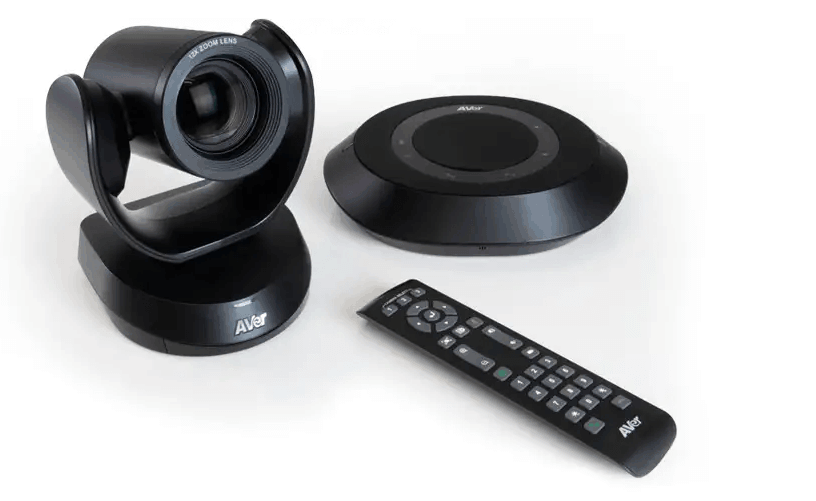
In today’s interconnected world, effective communication often hinges on seamless video conferencing. Whether you’re conducting a crucial business meeting, delivering a remote presentation, or simply connecting with loved ones across continents, the quality of your video feed plays a significant role in the overall experience.
A blurry, pixelated image or a camera with a limited field of view can detract from your message and hinder engagement. Selecting the right camera for your specific video conferencing setup is, therefore a critical decision. This guide will walk you through four top considerations to help you make an informed choice and ensure your online interactions are clear, professional, and productive.
1. Understanding Your Meeting Environment and Participants
Before diving into specific camera features, take a step back and analyse the context of your video conferences. Consider the size of the room where you’ll be hosting the meetings and the typical number of participants.
For a small, single-person setup, such as a home office, a compact webcam with a narrow to medium field of view might suffice. However, if you frequently host meetings in a larger conference room with multiple attendees, you’ll need a camera with a wider field of view to capture everyone comfortably.
Furthermore, consider the lighting conditions of your meeting environment. Poor lighting can significantly impact video quality, making participants appear dark or grainy. Understanding these environmental factors and the needs of your participants will lay a strong foundation for selecting the most appropriate video conferencing equipment.
2. Evaluating Camera Resolution and Image Quality
The resolution of a camera directly impacts the clarity and detail of your video feed. Higher resolutions, such as Full HD (1080p) or Ultra HD (4K), provide sharper and more detailed images compared to lower resolutions like 720p.
While a 720p webcam might be adequate for basic one-on-one calls, for professional meetings and presentations, a 1080p or 4K camera is generally recommended. The increased clarity can make a significant difference in how effectively you and your colleagues can see facial expressions, read whiteboards, or view shared documents.
Beyond resolution, consider other aspects of image quality, such as the camera’s sensor size and lens quality. According to VideoCentric, a larger sensor generally captures more light, resulting in better performance in various lighting conditions and less noise in the image. A high-quality lens will contribute to sharper focus and less distortion.
While these specifications might seem technical, they directly translate to a more professional and engaging video conferencing experience. Investing in a camera with good resolution and overall image quality demonstrates attention to detail and respect for your meeting participants.
3. Considering Field of View and Zoom Capabilities
The field of view (FOV) of a camera refers to the horizontal and vertical extent of the scene that the camera can capture. As mentioned earlier, the required FOV depends heavily on the size of your meeting space and the number of participants.
For individual users, a narrower FOV (around 60-70 degrees) is usually sufficient, focusing primarily on the person speaking. However, for small to medium-sized meeting rooms, a wider FOV (90-120 degrees) is often necessary to include everyone seated around a table.
Zoom capabilities are also crucial, particularly in larger conference rooms. Optical zoom, which uses lens elements to magnify the image without loss of quality, is generally preferred over digital zoom, which simply crops and enlarges the image, often resulting in a pixelated and blurry output.
Some advanced video conferencing equipment offers pan, tilt, and zoom (PTZ) functionality, allowing for remote control of the camera’s position and zoom level. This can be particularly useful for dynamic presentations or when focusing on different speakers in a larger setting.
4. Assessing Connectivity and Additional Features
The connectivity options of a camera are another important consideration. Most webcams connect via USB, which is generally straightforward and widely compatible. However, some higher-end conferencing cameras might offer other connectivity options like HDMI or Ethernet, providing more flexibility in certain setups. Ensure that the camera you choose is compatible with your computer or dedicated video conferencing system.
Beyond basic video capture, many cameras come with additional features that can enhance your video conferencing experience. Integrated microphones can be convenient for individual users or small huddle rooms, although dedicated external microphones often provide superior audio quality, especially in larger spaces. Some cameras also include features like automatic framing, which intelligently adjusts the field of view to keep participants centred, and privacy shutters for added security.
Consider which of these additional features would be most beneficial for your specific needs and budget when selecting your video conferencing equipment. Furthermore, compatibility with your chosen tool and software is paramount for a smooth and hassle-free experience.
Ready to Elevate Your Virtual Meetings? Choose Your Camera Wisely!
Investing in the right camera is a crucial step towards ensuring effective and engaging video conferences. By carefully considering your meeting environment, participant numbers, desired image quality, field of view requirements, and connectivity options, you can select a camera that perfectly suits your needs.
Don’t let a subpar video feed detract from your important conversations – make an informed choice and unlock the full potential of your virtual interactions.
