

Most Instagram DM automation problems do not start with bad code.
They start with a marketing idea that sounds harmless.
A customer comments on a post. The brand sends a DM. The customer asks a question. The automation replies. So far, everything works. Then someone on the team asks, “Can we follow up tomorrow if they do not answer?”
That is where the conversation changes.
Instagram messaging is not email. It is not SMS. It is not a broadcast channel where a business can message users whenever it wants. For API-driven messaging, Meta’s 24-hour window shapes the entire workflow. If a business ignores that rule, the issue is not only failed messages. It can become a permissions problem, an automation problem, and in worse cases, an account trust problem.
For teams building or reviewing Instagram DM workflows, KeyAPI has a more technical breakdown of the Instagram Messaging API 24-hour window policy. This article takes the operations view: how teams should think before they automate.
The uncomfortable truth about Instagram DMs
Instagram DMs feel personal to users.
That is exactly why they convert well. It is also why Meta is strict about automation.
A user who sends a DM, replies to a story, or comments in a way that starts a private conversation has opened the door for a business response. But that door does not stay open forever. In the standard API messaging flow, businesses generally need to respond within 24 hours of the user’s last interaction.
That rule changes the job of automation.
Bad automation asks: “How many messages can we send?”
Good automation asks: “What should happen while the user is still actively engaged?”
That difference matters.
Why the 24-hour window exists
The rule exists because brands ruined the inbox once already.
Without limits, Instagram DMs would quickly become another promotional feed: abandoned-cart nudges, discount blasts, product drops, webinar reminders, “just checking in” messages, and cold follow-ups from accounts users barely remember.
Meta’s policy pushes businesses toward user-initiated conversations. The user must take an action first. The business can respond while the conversation is fresh. When the user stops engaging, the automated window closes.
That may frustrate marketers, but it protects the channel.
A DM inbox that becomes spam loses user trust. Once user trust drops, response rates drop with it.
What usually opens the window
A messaging window generally starts when the user actively interacts with the business in a way that supports conversation.
Common triggers include:
- The user sends a direct message.
- The user replies to an Instagram Story.
- The user comments and the business uses an approved private reply or automation flow.
- The user replies inside an existing conversation.
- The user clicks an action that begins a message thread.
Passive activity is not enough.
A user viewing a Reel does not open a messaging window. Liking a post does not automatically give a business permission to send API-driven DMs. Following the account is not the same as starting a conversation.
This is where many teams make mistakes. They treat attention as permission.
It is not.
What breaks when teams misunderstand the rule
The damage usually appears in small ways before it becomes obvious.
A campaign launches. Comment-to-DM automation works for the first few hours. Then delayed messages fail. A support team tries to respond after a weekend and finds the automation cannot send. A sequence is designed for three days, but only the first day sends correctly. A developer keeps retrying failed messages, making the logs uglier without fixing the actual policy issue.
The root problem is the same: the workflow was designed like email, not like Instagram messaging.
Common failure patterns
| Failure pattern | What usually happened |
| Follow-up messages fail after a day | The 24-hour user interaction window closed |
| Promotional messages are blocked | The user did not re-engage or opt in properly |
| Human support reply fails through automation | The workflow did not use the correct human-agent handling |
| Bot keeps retrying failed sends | The system treats policy failure like a temporary network issue |
| Campaign queue sends too late | Rate limits or queue delay pushed messages outside the valid window |
A stable Instagram messaging workflow needs policy logic, not just sending logic.
The right way to design Instagram DM automation
The safest approach is to design around the user’s last action.
Every conversation should have a timer.
Not a vague one. A real one.
The system should know:
- When the user last sent a message or triggered the conversation
- When the standard response window closes
- Whether the next message is automated or human
- Whether the message is promotional, transactional, or support-related
- Whether the user has opted in to a later notification
- What should happen if the message cannot be sent
This is less exciting than writing a clever chatbot. It is also the part that keeps the chatbot from getting the account into trouble.
Three workflows that usually need extra care
1. Comment-to-DM campaigns
Comment-to-DM is powerful because it turns public engagement into a private conversation.
A user comments “price” or “link” or “guide,” and the business sends a DM. This works best when the response is immediate and relevant. It works poorly when the brand tries to stretch the conversation into a long promotional sequence without user replies.
A good flow asks for a meaningful next step while the window is still open.
For example:
- Send the requested resource.
- Ask one qualifying question.
- Offer a clear opt-in for future updates.
- Move the user to email, SMS, or account signup if longer follow-up is needed.
Do not build a five-day sales sequence unless the user has clearly opted into a permitted follow-up path.
2. Customer support after weekends or holidays
Support is where the 24-hour rule can feel unfair.
A customer messages on Friday evening. The team returns Monday morning. The standard automation window may already be closed.
This is where teams need a human support process, not a promotional workaround. Meta’s Human Agent handling exists for real support cases that need more time, but it is not a loophole for automated marketing.
The important distinction:
- Human support follow-up: legitimate when used correctly.
- Automated promotional follow-up: risky and usually not allowed under that tag.
Support teams should have clear handoff rules before they need them.
3. Product alerts and restock messages
Restock alerts, price-drop alerts, and launch reminders are common ecommerce use cases.
But the business should collect proper opt-in during the active conversation. If the user asks about a sold-out product, the brand can ask whether they want to be notified when it returns. That is different from adding the user to a broad promotional list without clear consent.
The topic matters.
If the user opted in for a restock alert, do not use that consent to send unrelated discount campaigns.
Where developers usually need to be strict
Developers should not treat Instagram messaging errors as generic failures.
A message outside the valid window should not be retried endlessly. It should be classified correctly, logged clearly, and either stopped or moved into a permitted workflow.
A basic implementation should include:
- Conversation state tracking
- Last user interaction timestamp
- Window expiration logic
- Message type classification
- Human handoff status
- Opt-in records
- Failed-send reasons
- Retry rules that do not fight policy
If a business is building across multiple social platforms, using an API provider such as KeyAPI can help standardize social data and integration workflows instead of rebuilding every platform path from scratch.
What teams should not do
Do not use tools that ask for Instagram passwords.
Do not use “bypass” tools that promise unrestricted DM sending.
Do not automate Human Agent messages.
Do not send promotional follow-ups outside the valid window unless the user has opted into a permitted notification path.
Do not assume a follower can be messaged just because they follow the account.
Do not let the marketing team write sequences without a policy review.
These mistakes may not hurt on day one. That is what makes them dangerous. They work until they do not, and by then the account may already have a messaging quality problem.
A practical pre-launch checklist
Before launching Instagram DM automation, ask these questions:
| Question | Why it matters |
| What user action starts the conversation? | Confirms the window opens legitimately |
| What is the first message? | Must match the user’s expectation |
| What happens if the user does not reply? | Prevents illegal or blocked follow-ups |
| Are any messages sent after 24 hours? | Requires extra review |
| Is a human agent involved? | Must not be disguised automation |
| Are users opting into future alerts? | Consent must be specific |
| Are failures logged by reason? | Helps developers fix policy issues correctly |
| Is the workflow promotional or support-related? | Different rules and risk levels apply |
If the team cannot answer these questions, the automation is not ready.
When a dedicated Instagram API workflow helps
Some businesses only need a simple support inbox. Others need a serious messaging and analytics workflow across Instagram and other platforms.
A dedicated API workflow becomes more useful when:
- The business handles many Instagram conversations.
- The team needs structured data from messages and user interactions.
- Support, marketing, and analytics teams all depend on the workflow.
- The company wants to connect Instagram activity with dashboards or internal systems.
- The team needs better visibility into automation limits and failures.
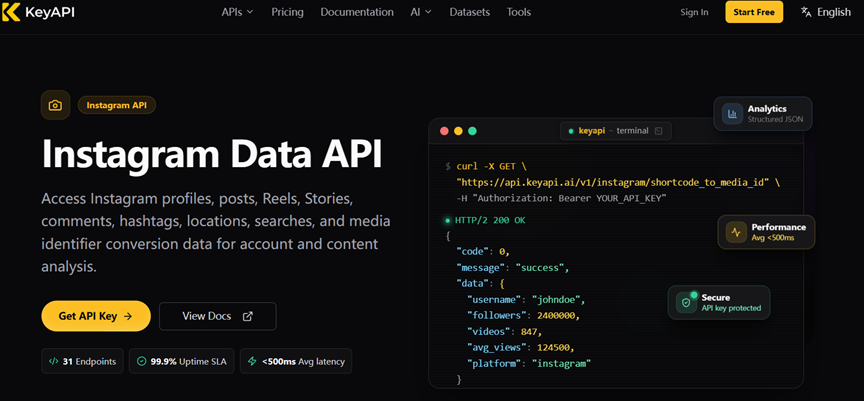
For teams working with Instagram data beyond messaging alone, KeyAPI’s Instagram API can be part of a broader social API setup.
Final thought
Instagram DM automation is not only a growth tool. It is a trust channel.
The 24-hour messaging rule forces businesses to respect the user’s timing. That can feel restrictive, especially for teams used to email campaigns and retargeting flows. But it also creates a better discipline: respond quickly, stay relevant, ask for clear opt-ins, and hand off to humans when the conversation needs care.
The brands that win with Instagram messaging are not the ones that send the most messages.
They are the ones users still want to reply to.
