

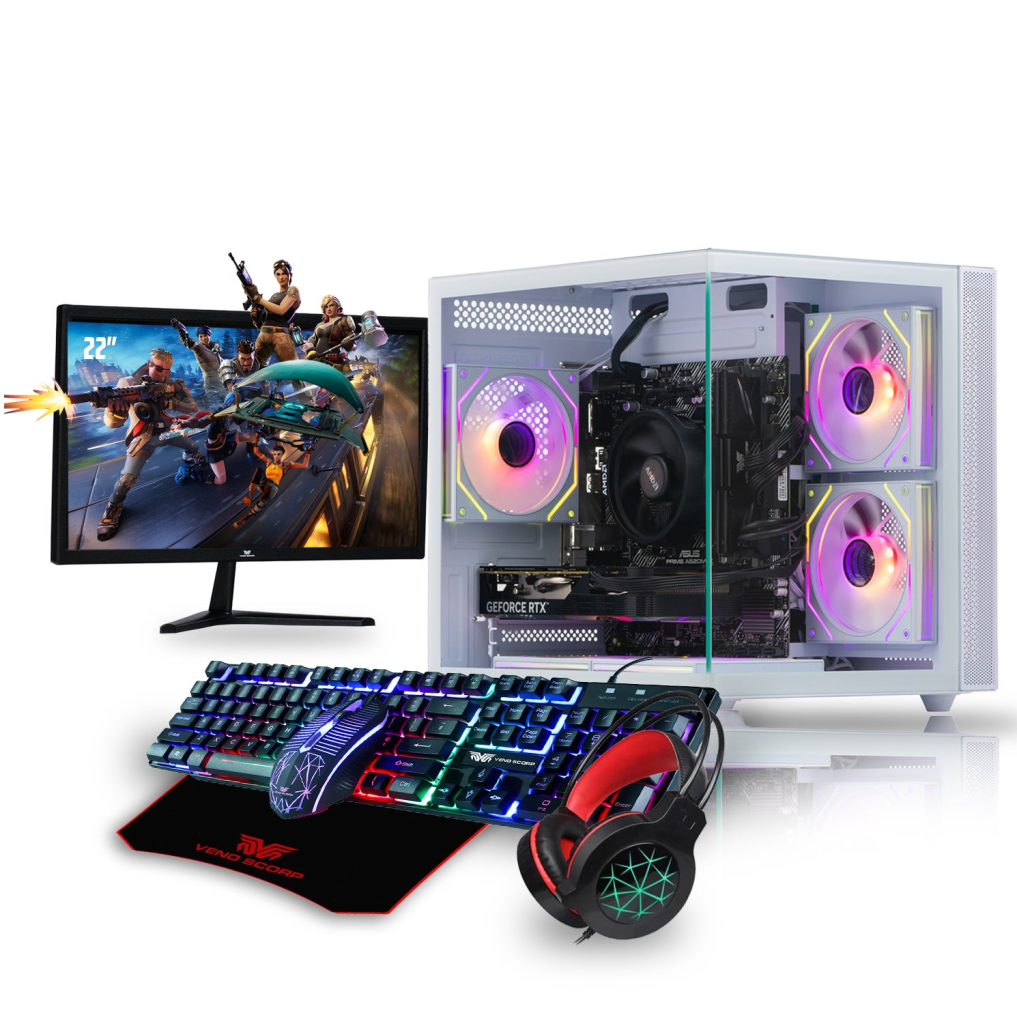
Building your own gaming computer doesn’t have to be expensive. With the right PC components, you can create a powerful yet affordable machine capable of running today’s popular titles without breaking the bank. Many gamers assume you need thousands of dollars for a full PC gaming setup, but that’s far from the truth. By carefully selecting budget-friendly yet high-performing parts, you can enjoy smooth gameplay and future upgrade potential.
This guide will walk you through the essential PC components needed to build a budget gaming PC, how to choose them wisely, and tips for keeping costs low while maximizing performance.
Why Choose a Budget Gaming PC?
Before diving into the parts list, let’s understand the advantages of building a budget-friendly rig:
- Affordability – You can put together a reliable system for a fraction of the cost of high-end builds.
- Customization – Select components that fit your exact needs, whether for esports gaming, casual play, or schoolwork plus gaming.
- Upgradability – Starting with a budget build doesn’t limit you; you can always upgrade later.
- Better Value – Unlike prebuilt systems, you avoid unnecessary extras and pay only for what you need.
If you’re aiming for a full PC gaming setup, starting with the right budget components ensures you get performance today and flexibility tomorrow.
Essential PC Components for a Budget Gaming PC
Every gaming rig, no matter the price point, is built around several key parts. Let’s break down each one, its role, and budget-friendly recommendations.
1. CPU
The CPU is the “brain” of your PC, responsible for handling game logic, physics, and overall system performance. For budget builds:
- AMD Ryzen 5 5600 – Affordable, excellent for gaming, and widely available.
- Intel Core i5-12400F – Strong single-core performance, perfect for esports and most AAA games.
2. GPU
The GPU is the heart of a gaming PC. It determines your frame rates, visual quality, and resolution performance. Budget-friendly options include:
- NVIDIA GeForce RTX 3050 / 3060 – Great entry-level cards for 1080p gaming.
- AMD Radeon RX 6600 / 6650 XT – Excellent price-to-performance ratio.
3. Motherboard
Your motherboard connects all other PC components. For a budget build:
- Look for B550 (AMD) or B660/B760 (Intel) chipsets.
- Ensure compatibility with your CPU.
- Features to look for: M.2 SSD support, USB 3.2 ports, and decent VRMs for stability.
4. RAM
For gaming, RAM determines multitasking smoothness and game load times.
- 16GB DDR4 – Ideal for budget gaming PCs.
- 32GB DDR4 – Only if you also stream, edit videos, or multitask heavily.
5. Storage
Game load times depend heavily on storage speed.
- SSD – Minimum 500GB NVMe SSD for Windows and games.
- HDD – Optional, for storing extra files, media, and backups.
6. Power Supply Unit
A PSU provides stable power to all your PC components. Don’t cheap out here!
- 500W–650W 80+ Bronze certified is enough for most budget gaming builds.
- Reliable brands: Corsair, EVGA, Seasonic.
7. Case
The case protects your components and influences airflow. For a budget gaming PC:
- Look for mid-tower cases with good ventilation.
- Features like tempered glass and RGB are optional.
8. Cooling System
Budget CPUs often come with stock coolers that are perfectly fine.
- Stock coolers are sufficient.
- Add 1–2 case fans for better airflow if needed.
9. Monitor, Keyboard, and Mouse
A full PC gaming setup isn’t complete without peripherals:
- Monitor – A 1080p 144Hz monitor is perfect for budget gaming.
- Keyboard – Mechanical or membrane, depending on preference.
- Mouse – Look for one with adjustable DPI settings.
- Headset/Speakers – Good audio improves gaming immersion.
Tips to Save Money on PC Components
- Buy during sales – Black Friday, Cyber Monday, and seasonal deals can slash prices.
- Consider refurbished parts – GPUs and CPUs from trusted resellers can be significantly cheaper.
- Upgrade gradually – Start with a solid foundation and upgrade GPU or storage later.
- Reuse old parts – If you already own a PC, reuse case, storage, or PSU when possible.
Common Mistakes to Avoid
- Overspending on one component – Balance is key. Don’t get a powerful GPU with a weak CPU.
- Buying incompatible parts – Always check socket and size compatibility.
- Cheap power supplies – A low-quality PSU can damage your entire build.
- Ignoring airflow – Even budget builds need good ventilation to avoid overheating.
Conclusion
Building a budget gaming PC is not only affordable but also incredibly satisfying. With the right PC components, you can create a reliable system that handles esports titles, AAA games at 1080p, and even some 1440p gameplay. Pair your build with affordable peripherals for a full PC gaming setup, and you’ll be ready to game without overspending.
The key is balance, invest wisely in your CPU and GPU, don’t neglect a quality PSU, and choose upgrade-friendly parts. With this guide, you now know exactly which PC components are essential and how to make smart decisions for your budget-friendly gaming build.
