

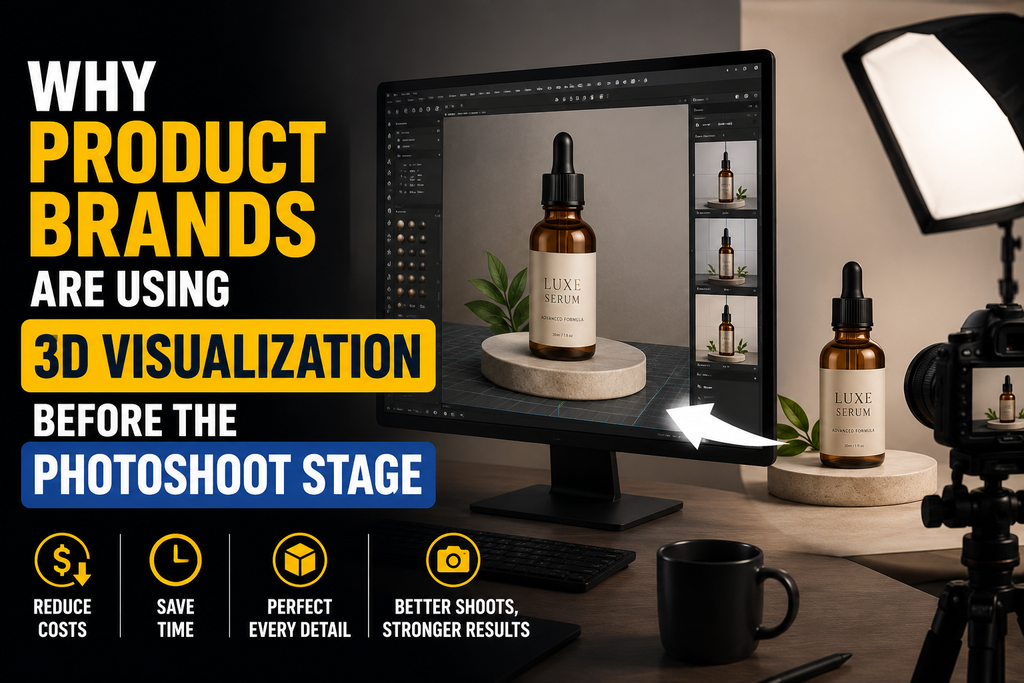
Product imagery has traditionally depended on physical prototypes, completed inventory, photography studios, lighting setups, and post-production. That workflow still has an important place in product marketing, but it is no longer the only option.
For furniture brands, eCommerce companies, consumer product businesses, design agencies, and manufacturers, 3D visualization can now support image production before a physical product is ready for photography.
This can be useful during product development, pre-launch marketing, catalog preparation, variant planning, and digital merchandising. By working with a capable 3D product rendering studio, brands can turn CAD data, technical drawings, dimensions, material references, and product specifications into visual assets that can be reviewed and used across different channels.
The main advantage is not simply replacing photography. It is creating a more flexible visual production workflow.
Product Imagery Does Not Always Need to Wait for Final Manufacturing
A traditional photography workflow usually begins once the product physically exists.
The business may need to manufacture a prototype, ship it to a studio, prepare the scene, arrange lighting, photograph multiple angles, and edit the final images.
For products that are still being developed, this can delay visual marketing.
3D product rendering changes the sequence.
If accurate product information is available, a visualization team can often begin creating the digital model before final manufacturing is complete.
Useful source materials may include:
- CAD files
- Engineering drawings
- Product dimensions
- Reference photographs
- Material samples
- Color specifications
- Packaging information
- Assembly details
- Surface finish references
Once the digital model is approved, it can become the foundation for several types of product imagery.
This allows marketing and eCommerce teams to begin preparing visual assets earlier in the launch process.
Creating Product Images From CAD Data
Many manufacturers and product designers already work with CAD files during development.
These files can provide a strong starting point for 3D product visualization, although they may need to be cleaned, optimized, or rebuilt depending on how they were created.
Engineering models are usually designed for manufacturing accuracy rather than visual presentation.
A visualization workflow may therefore involve:
- Importing CAD geometry
- Cleaning unnecessary data
- Correcting surfaces
- Simplifying hidden components
- Organizing product parts
- Applying materials
- Setting up lighting
- Creating presentation-ready geometry
The goal is to preserve the important dimensions and design features while preparing the model for efficient rendering.
If no suitable CAD model is available, the product can also be created from measurements, technical drawings, or detailed reference images.
The quality of the source information remains important regardless of the method.
Producing Silo Images Before Photography
Silo images are clean product visuals usually shown against a plain or transparent background.
They are widely used on eCommerce product pages, catalogs, marketplaces, product databases, and digital advertising.
3D product rendering makes it possible to produce consistent silo images without repeatedly photographing the product from different angles.
A single digital model can be used to generate:
- Front views
- Side views
- Rear views
- Three-quarter views
- Top views
- Detail shots
- Close-ups
- Alternate configurations
This can be especially useful for brands with structured product catalogs.
Instead of manually recreating camera positions for every photoshoot, the visualization team can establish standard angles and reuse them across multiple products.
This helps create a more consistent visual identity.
For eCommerce teams managing many SKUs, consistency can be just as important as realism.
Showing Multiple Colors and Material Variants
One of the practical advantages of 3D product visualization is the ability to create product variants without physically manufacturing every option first.
A single model may be rendered with multiple:
- Colors
- Fabrics
- Wood finishes
- Metal finishes
- Surface coatings
- Textures
- Patterns
- Component combinations
Consider a furniture brand offering one chair in several fabric colors and frame finishes.
With photography, each configuration may need to be physically available and photographed separately.
With 3D rendering, the base model remains the same while the material settings can be changed.
The final images can then be generated using consistent camera angles, lighting, and framing.
This does not eliminate the need to confirm real manufacturing finishes. Material references still need to be accurate so that digital visuals reflect the intended product as closely as possible.
However, the ability to create controlled variations can make digital asset production more flexible.
Preparing Marketing Before the Product Launch
Marketing teams often need visual assets before a product is ready for general sale.
Web pages must be built, product listings prepared, campaigns scheduled, sales materials created, and distributors informed.
Waiting for final manufacturing and photography can compress the marketing timeline.
3D product rendering can allow some of this work to begin earlier.
Pre-launch imagery may support:
- Website preparation
- Sales presentations
- Catalog layouts
- Dealer materials
- Online advertising
- Product launch campaigns
- Internal presentations
- Marketplace listings
This can be particularly useful when the product design is approved but physical inventory is still being manufactured.
The visualization process should remain connected to the current product specifications.
If the design changes after images are produced, the model may also need to be updated.
Good version control between product development and visualization teams can help prevent outdated imagery from being used.
Creating Lifestyle Images Without Building Physical Sets
Product photography often involves more than photographing the product itself.
Lifestyle imagery may require furniture, interior sets, props, decorations, lighting equipment, and specific environments.
Creating these scenes physically can involve substantial planning.
3D product visualization can create digital environments instead.
A furniture item, appliance, lighting product, or consumer product can be placed within a relevant interior or lifestyle setting.
For example, a dining table could be visualized in:
- A contemporary apartment
- A minimalist dining room
- A hospitality space
- A large family home
- A Scandinavian-style interior
The same base product model can be placed in different scenes depending on the intended audience or campaign.
This gives creative teams more flexibility in how products are presented.
It also allows scenes to be adjusted without rebuilding physical sets.
Keeping Brand Imagery Consistent
Product catalogs can become visually inconsistent when images are created across different photoshoots, photographers, locations, or production periods.
Differences may appear in:
- Camera height
- Lighting direction
- Background tone
- Product scale
- Cropping
- Shadow intensity
- Perspective
These differences can be noticeable when several products appear together on a category page.
A structured 3D product rendering workflow can help standardize these elements.
Brands can establish rules for:
- Camera positions
- Lens settings
- Product orientation
- Background treatment
- Lighting setup
- Image dimensions
- Margins
- Shadow style
Once these standards are approved, they can be applied across multiple product models.
This can be particularly useful for furniture, eyewear, homeware, electronics, and other product categories with large catalogs.
Supporting Products That Are Difficult to Photograph
Some products can be complicated or expensive to photograph.
They may be very large, highly reflective, fragile, configurable, or not easily transported.
Other products may include transparent materials or complex surfaces that require careful lighting.
Examples can include:
- Furniture
- Large equipment
- Lighting products
- Glass objects
- Metallic products
- Configurable products
- Products with many finish options
3D rendering offers another way to control the visual environment.
Lights, reflections, camera positions, and materials can be adjusted digitally.
This allows the production team to refine the image without physically repositioning or rebuilding the product.
The benefit is control, particularly when repeatability is important.
Creating Close-Ups and Detail Views
Some product features are difficult to communicate in a standard full-product image.
Customers may need to understand:
- Stitching
- Material texture
- Joinery
- Controls
- Connectors
- Surface finishes
- Mechanical components
- Hardware details
A 3D model can be rendered from close camera positions to highlight these features.
The production team can control depth of field, lighting, and composition around the selected detail.
This can create useful supporting images for product pages.
Detail rendering can also help B2B buyers, distributors, or design professionals understand construction and finishing choices more clearly.
The model must contain enough geometry and material detail for the intended close-up.
This is why the required image set should ideally be defined before the modeling stage is finalized.
Reusing the Same 3D Asset Across Channels
One of the broader advantages of creating a digital product model is that the asset can sometimes support more than static images.
Depending on how the model is built and optimized, it may also become useful for:
- Product animation
- Augmented reality
- Interactive 3D viewing
- Web configurators
- Marketing videos
- Additional campaigns
This creates a different way of thinking about product visualization.
Instead of treating each image as a separate production task, brands can think in terms of creating a reusable digital product asset.
The exact model requirements will vary by use case.
A high-detail offline rendering model is not automatically suitable for real-time web or AR applications. It may need to be optimized, retextured, or exported in formats such as glTF, GLB, or USDZ.
Planning future uses early can help avoid unnecessary rebuilding.
Supporting AR and Interactive Product Experiences
Product visualization increasingly extends beyond static imagery.
Some eCommerce brands and AR platforms use optimized 3D assets so customers can view products interactively or place them within their own environment.
4dviz Studio creates AR-ready 3D assets in formats including glTF, GLB, and USDZ, alongside product 3D modeling and rendering work.
The studio has produced more than 1,000 AR-ready eyewear models, illustrating how high-volume 3D asset production can become part of a broader product visualization workflow.
For brands considering AR or interactive product experiences, creating the underlying product asset with future use in mind can be practical.
The product model may eventually support both traditional marketing imagery and interactive applications, although separate optimization steps may be required.
Using 3D Visualization for Product Configurators
Products with selectable finishes, colors, or components can also benefit from 3D configurators.
A web-based product configurator may allow customers to change attributes such as:
- Color
- Fabric
- Frame finish
- Component type
- Material
- Accessory
- Product configuration
This is particularly relevant when a brand offers many combinations that would be difficult to photograph individually.
3D assets provide the visual foundation for these experiences.
The models need to be organized carefully so that different components and materials can be changed independently.
A product visualization workflow designed for configuration therefore requires more planning than a single static render.
Choosing Between Photography and Rendering
3D rendering and photography should not always be treated as competing methods.
Many brands can use both.
Photography may be useful when:
- The physical product is readily available
- Authentic lifestyle photography is important
- Real-world texture variation is central to the brand
- Human interaction with the product is the focus
3D visualization may be useful when:
- The product is not yet manufactured
- Many variants are required
- Consistent camera angles are important
- Digital sets would be more practical
- AR-ready assets are also needed
- Products are difficult to transport
- Large catalogs must be produced
A hybrid approach can also work.
For example, a brand might use photography for campaign imagery while using 3D renders for consistent eCommerce product views and variant images.
The right approach depends on the product, channel, and production requirements.
Preparing a Strong Product Visualization Brief
The quality of a 3D visualization project depends heavily on the information provided at the beginning.
Useful inputs can include:
- CAD files
- Measurements
- Material references
- Color codes
- Product photographs
- Finish samples
- Required angles
- Image dimensions
- Background requirements
- Variant lists
- Packaging references
Brands should also clarify the intended use of the assets.
An image for a marketplace listing may have different requirements from a lifestyle campaign render or AR asset.
Defining these requirements early helps the visualization team build the model at an appropriate level of detail.
Building a More Flexible Visual Production Workflow
3D product visualization gives brands another way to plan visual content before the photoshoot stage.
It can support earlier marketing preparation, product variant creation, silo imagery, lifestyle scenes, detail views, eCommerce listings, AR-ready assets, and interactive experiences.
The main value lies in flexibility and reuse.
Once an accurate digital product model is created, it can become the starting point for multiple visual outputs rather than serving only one campaign.
For product brands managing large catalogs, frequent launches, many variations, or interactive commerce requirements, this can create a more structured approach to visual production.
Photography will continue to play an important role in product marketing, but 3D rendering gives businesses an additional option when physical production timelines, catalog scale, or digital requirements make conventional photography less practical.
