

Author: Dejan Kvrgic
Dejan Kvrgic is the Senior Marketing Manager at AppMakers USA and serves as CMO, responsible for growth strategy and acquisition planning. With 10 plus years in digital marketing, he focuses on positioning, channel execution, and performance measurement that ties back to real customer demand. Outside of work, he spends time on sports, outdoor activities, gaming, and flying drones.
Passkeys are finally crossing the line from “interesting security upgrade” to “users actually expect this.” But most teams underestimate what it takes to ship passkeys in a mobile app without creating a support nightmare.
Implementing passkeys is not the hard part. The hard part is everything around them including migration, recovery, multi device behavior, and making sure nobody gets locked out the moment they buy a new phone.
This is a practical guide for product and engineering teams who want passkeys to reduce friction and phishing risk, not increase tickets.
What passkeys are, in plain English
A passkey is a modern login method based on public key cryptography. It replaces “something you know” (a password) with “something you have” (your device) plus “something you are” (Face ID, Touch ID, fingerprint) or a device PIN.
Simply, when we say password, it’s a secret you type into a box. Passkey on the other hand, is a secure sign-in key your device holds for you.
Under the hood, the device creates a key pair:
- Your app or website stores the public key.
- The private key stays on the user’s device, protected by the OS.
To sign in, the user confirms with Face ID, Touch ID, fingerprint, or their device PIN. The device proves it has the right key without ever sending a reusable secret.
That is why passkeys feel so smooth in real products. A user taps “Sign in,” confirms biometrics, and they’re in.
Why passkeys are worth doing now
Passkeys are getting adopted because they solve two problems at the same time: user frustration and phishing risk.
1) Users are tired of login friction
Login is one of the highest drop-off points in mobile funnels. People forget passwords, mistype them, hit account lockouts, or bounce when the reset flow is annoying.
Passkeys shorten the path because the “login step” becomes a single confirm.
For example, PayPal has said it observed a 10%+ increase in login success rate with passkeys compared with traditional password methods. That is the kind of lift teams want, not because passkeys are trendy, but because fewer failures mean fewer abandoned sessions and fewer support tickets.
2) Phishing resistance is baked in
Most account takeovers are not caused by someone hacking your database. They come from credential reuse and phishing.
Passkeys help because the credential is bound to the real app or website. Even if someone tricks a user into tapping a bad link, the passkey will not authenticate to the wrong origin.
So, if a customer receives a fake “Your order has a problem” email, a password-based login might get stolen. A passkey-based login usually fails to authenticate because the fake site is not the real origin.
There’s also a speed and reliability angle. FIDO Alliance’s Passkey Index highlights that passkey sign-ins can have far higher success rates than other methods and can cut sign-in time dramatically.
That lines up with the day-to-day product reality.
The reality: passkeys are not a switch, they are a migration
Most apps cannot flip from passwords to passkeys overnight. If you try, you create lockouts.
In real products, you live in a mixed world for a while:
- password users
- password plus MFA users
- passkey users
- passkey plus step-up verification users (for higher risk actions)
The goal is not to delete passwords immediately. The goal is to move users to passkeys without breaking their habit loops.
Think of it like changing checkout. You don’t remove the old checkout path on day one. You run both, measure, and gradually shift.
A good rule: plan for months of overlap. That time is when you learn the edge cases your team did not predict.
The passkey rollout most teams regret (and what to do instead)
Here is the rollout that creates lockouts:
- Ship passkeys.
- Prompt everyone to create one.
- Remove passwords too early.
It sounds efficient. It is not.
The better approach is staged and boring, which is exactly what you want for identity.
Phase 1: Offer passkeys where it is obviously useful
Start with the highest friction moment: sign-in.
- Add “Sign in with passkey” as an option.
- Let existing users create a passkey in account settings.
Do not force it yet. Learn.
Real-world pattern: many teams start by adding passkeys as an alternative to password sign-in, then watch sign-in success rates and support volume before they promote it.
Phase 2: Nudge only after a successful moment
A passkey prompt works best right after a user has proven intent:
- they placed an order
- they completed onboarding
- they linked a payment method
The message should be simple:
“Want faster sign-in next time? Set up a passkey. No password needed.”
Why this timing works: users understand the benefit because they just experienced the cost of logging in.
A practical example in commerce: after checkout, show a lightweight prompt on the confirmation screen. If they skip, do not nag them every session. If they accept, set up the passkey in under a minute.
Phase 3: Make passkeys the default, keep passwords as a safety net
Once you have confidence, make passkey the primary path.
But keep a fallback.
You can tighten password usage later, after recovery and edge cases are proven.
If you remove passwords before your recovery flow is solid, you will pay for it in support tickets.
The five hard problems you have to solve
This is where most passkey projects succeed or fail.
1) New phone, same user
People upgrade phones. People lose phones. People wipe devices.
If passkeys do not survive that moment cleanly, you will get support tickets.
What you want:
- If the user uses a synced passkey store (like iCloud Keychain or Google Password Manager), they should be able to sign in on the new device naturally.
- If they do not, you need a recovery path that does not feel like a punishment.
A sane recovery flow:
- verify identity through a trusted channel you already have (email link, verified phone, or in-app verification if they are still logged in somewhere)
- let them create a new passkey on the new device
- keep the experience short
Commerce apps that rely on email links for password resets can reuse that channel for passkey recovery. The key difference is tone and speed. The recovery should feel like “reconnect your account,” not “reset your life.”
Avoid forcing a full password reset just to create a passkey. That defeats the point.
2) Multi-device behavior that does not confuse users
Some users use one phone. Some use a phone plus tablet. Some use multiple browsers and devices.
Your UI needs to answer simple questions:
- Which devices have a passkey?
- Can I remove one?
- What happens if I remove it?
In account settings, show a clear list:
“Passkeys set up on this account” with device labels, last used, and a remove option.
Make it readable. Not a security dashboard.
Users often set up a passkey on their phone, then later try to sign in on a laptop. If your product supports cross-device sign-in, the flow should be obvious (often a QR code prompt or a “use your phone to approve” path). If you don’t support it, be clear about that too.
3) Shared devices and family behavior
You cannot assume every device is single-owner.
Common situations:
- shared tablet
- family phone used for shopping
- work device with strict policies
Do not force passkey creation in these contexts.
Give users control and keep passwords available as a fallback where it makes sense.
A practical approach: keep passkeys optional, and when users choose to add one, explain that it signs in whoever can unlock that device. That one sentence prevents a lot of confusion.
4) Account matching and “wrong account” headaches
Passkeys are great until a user has two accounts and creates a passkey on the wrong one.
You want account matching that feels forgiving:
- If the passkey maps to Account A, do not silently sign them into Account B.
- If they are on a device with multiple accounts, show a clear account chooser.
It’s common in marketplaces and ecommerce for people to have a personal account and a work account, or multiple emails. If your passkey flow doesn’t make the account clear, users assume the app is broken.
This is a product detail, not just engineering.
5) Step-up verification for high-risk actions
Even with passkeys, some actions deserve extra confirmation:
- changing payout details
- changing email or phone
- viewing sensitive personal data
- high value purchases
Handle this with a clean “step-up” moment.
Banks and wallets often require an extra confirmation step for sensitive actions even after login. For a commerce app, step-up might be appropriate for changing shipping address right before shipment, or adding a new payment method.
The trick is not to add friction everywhere. Add it only where fraud risk is real.
The UX patterns that make passkeys feel effortless
Passkeys fail when teams treat them like a security feature instead of a usability feature.
Use human language
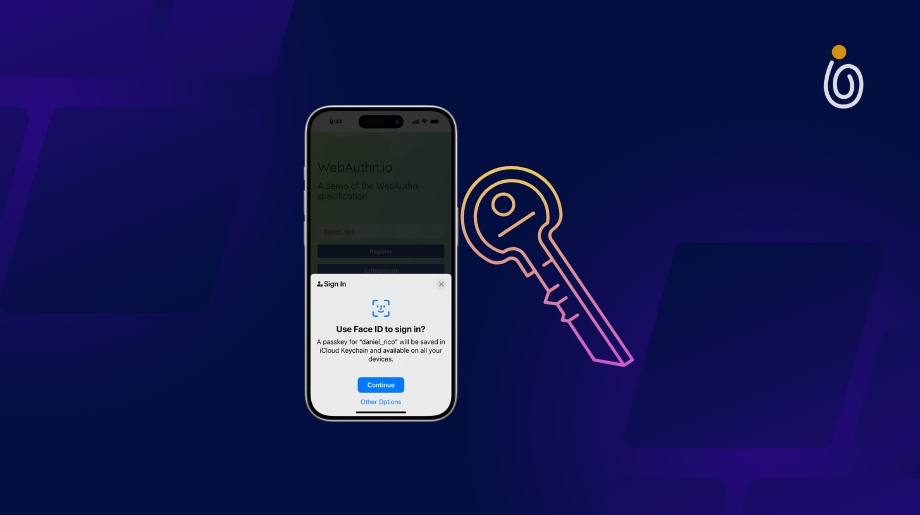
“Use Face ID to sign in” beats “Create a credential.”
Explain what happens:
“Your device will save a passkey so you can sign in without a password.”
The goal is to make the user feel like this is a convenience upgrade.
Ask at the right time
Do not ask on first launch.
Ask when the user has something to lose, like an account they care about.
Real-world examples that work:
- after purchase confirmation
- after the user saves items to a wishlist
- after they set up recurring orders or subscriptions
Give a clean fallback
Even if your long-term goal is passwordless, your short-term goal is not locking people out.
Keep a fallback sign-in method while you learn. That might be password, email magic link, or another verified method.
This is also how you handle edge cases: older devices, shared devices, strict corporate device policies.
Make removal safe
If users remove a passkey, tell them what it means:
“Removing this passkey will stop this device from signing in without a password.”
No drama. Just clarity.
A practical touch: if the user is about to remove their last passkey, warn them that they’ll rely on the fallback method next time.
Implementation notes that prevent expensive mistakes
You do not need to over-engineer passkeys, but you do need discipline.
Treat credential data like part of your identity system
Passkeys touch:
- authentication
- account recovery
- device management
- risk controls
If your auth stack is already messy, passkeys will expose that.
The practical takeaway: don’t build passkeys as a one-off screen. Build it as part of your identity layer.
Instrument everything
Before you expand rollout, track:
- passkey setup completion rate
- sign-in success rate
- fallback usage rate
- recovery flow completion rate
- support tickets tagged “login” or “passkey”
You should be able to answer:
Are passkeys reducing login pain, or just shifting it into recovery?
Real-world example: a team might see passkey setup completion is high, but recovery tickets spike because users switch devices and can’t figure out how to sign in. That’s not a passkey failure. That’s a recovery UX failure.
Plan for cross-platform behavior
iOS and Android will not behave identically across versions, browsers, and device settings.
Test:
- iOS Safari and Chrome
- Android Chrome
- multiple devices per user
- logged out states
- weak network and app backgrounding
Also test the “reviewer reality” scenario: fresh install, no prior session, user tries passkey login immediately.
This is where real-world stability comes from.
A practical checklist you can use this week
If you want a simple passkey plan, start here:
- Add passkey sign-in as an option
- Add passkey setup in settings
- Create a recovery flow that supports new devices
- Add a device list for passkeys (remove, rename, last used)
- Add step-up verification for high risk actions
- Nudge after a successful moment (not on first launch)
- Make passkeys default only after metrics look good
If you want help implementing all of this without breaking your auth system, work with a mobile app development team that has shipped real authentication and recovery flows, not just demo passkey screens.
The point of passkeys is trust, not novelty
Passkeys are one of the rare upgrades that improve security and user experience at the same time. But only if you treat them as a product rollout, not a checkbox.
Do the unsexy parts well: recovery, device handling, clear UX, and careful nudges.
When that foundation is solid, passkeys stop being a “security feature.” They become the fastest, least annoying way for users to get back into the app.
And that’s the real end goal: fewer failed logins, fewer resets, fewer fraud headaches, and a sign-in experience that feels almost invisible. Users don’t think “wow, cryptography.” They think “thank God, that was easy.”
